Are you using the wifi dongle that you received with the Eysey? If you do, it should work. You mentioned that initially you were able to connect the Eysey via wifi using AP mode. If it worked first time, it should also work now. Remember, you need to hold down Shift key on Eysey while it is booting until you see EYSEY written on the screen. Only after that will be the local wifi network EYSEY created and visible for your computer. After next restart it will disappear until you boot again to AP mode holding down Shift key.
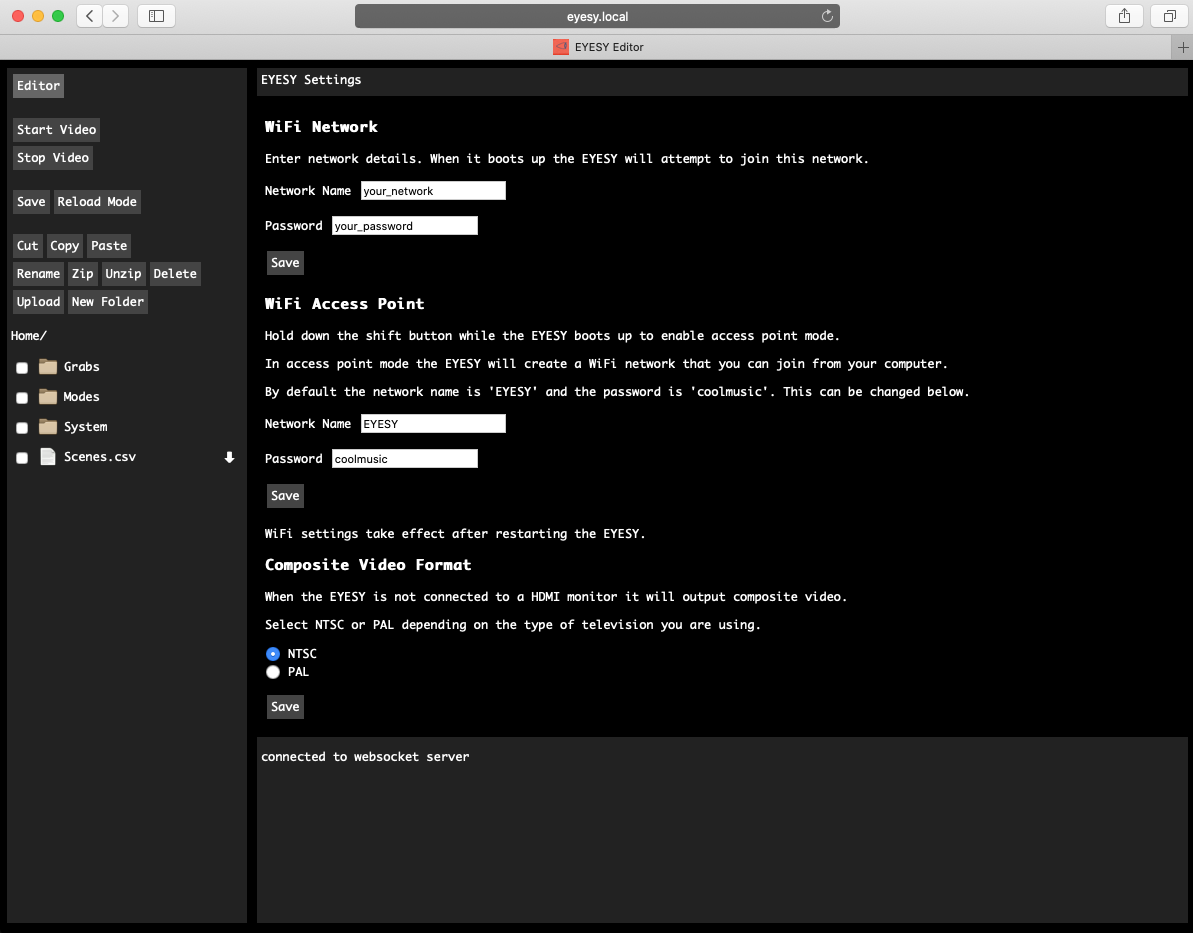
You also mentioned that you made some changes in Eysey in your initial setup. What exactly did you change? Is it possible that you changed the Network Name of the Eysey Wifi Access Point (see the screenshot below) and that’s the reason you can not find it anymore?