Chord.lua looks very cool. Is there an example of what to put into jam.lua’s function init to be able to access it?
Tried to break this into new topic about PLAY patches, but don’t know what I’m doing, so here is the link just in case
1 Like
Looking forward to the eventual update with Clock-In/Out support for the Play patches.
@oweno quick question: Would the tempo knob on Organelle control tempo subdivisions when receiving external clock?
All was going fine with OSv5 on my OrgS.
But after using the web interface (uploading some new patches) the Org. S is now not listing any of the patches on the sdcard.
The web interface sees the sdcard & patches - I can activate patches from the web interface & play them on the Org.
But none of this is visible on the Org itself, as it was yesterday. Patch path looks like it is defaulting to usb which is not present, & when I try storage/reload nothing changes
The only patch visible when it boots up is one listed under usbdrive, & I dont have a usbdrive connected, never have. I can;t delete this patch
If anyone has a remedy for this I’d be most appreciative. I swapped back to the OS4.2 sdcard & that was all fine.

So you tried removing USB drive, turning it off and then back on again, and this is what happens?
In that terminal window in your screenshot, if you run the command “ls /usbdrive” what does it say? That folder should be empty if there is no USB drive connected.
Thanks, yeah I’ve never had a usb drive connected as the sdcard has always covered my needs, done lots of off/&on.
it says “Patches” (tried to delete - no joy)
maybe i just need to reformat the sdcard & start over? Shld the usbdrive be visible given there’s none attached?

i accidentally loaded a patch onto the usbdrive, even tho there was no usbdrive present, the first time i used the new web interface, I can;t delete this now

OK, thanks for the info. It is strange that you were able create a Patches folder in the usbdrive folder at all… If there is no USB connected, it is supposed to be read only, which is the reason why you can’t delete it. You can run these commands to remove it:
sudo ~/fw_dir/scripts/remount-rw.sh
sudo rm -r /usbdrive/Patches
This makes the system read-write, then removes the /usbdrive/Patches folder.
Or just burn a new card is fine too. We’ll have to look into how it happened and add a check.
Thank you! ran the commands & back in business. All is back to how it was.
Much appreciated  the usbdrive is still present in the web int., I will be more careful!

The PLAY patches are updated to allow MIDI clock sync input. If you send the patch MIDI clock it will latch on and use that as the timing source. Updated patches here:
That is a good idea, currently not doing this but we’ll look into it!
2 Likes
A post was split to a new topic: Current OS for Organelle 1?
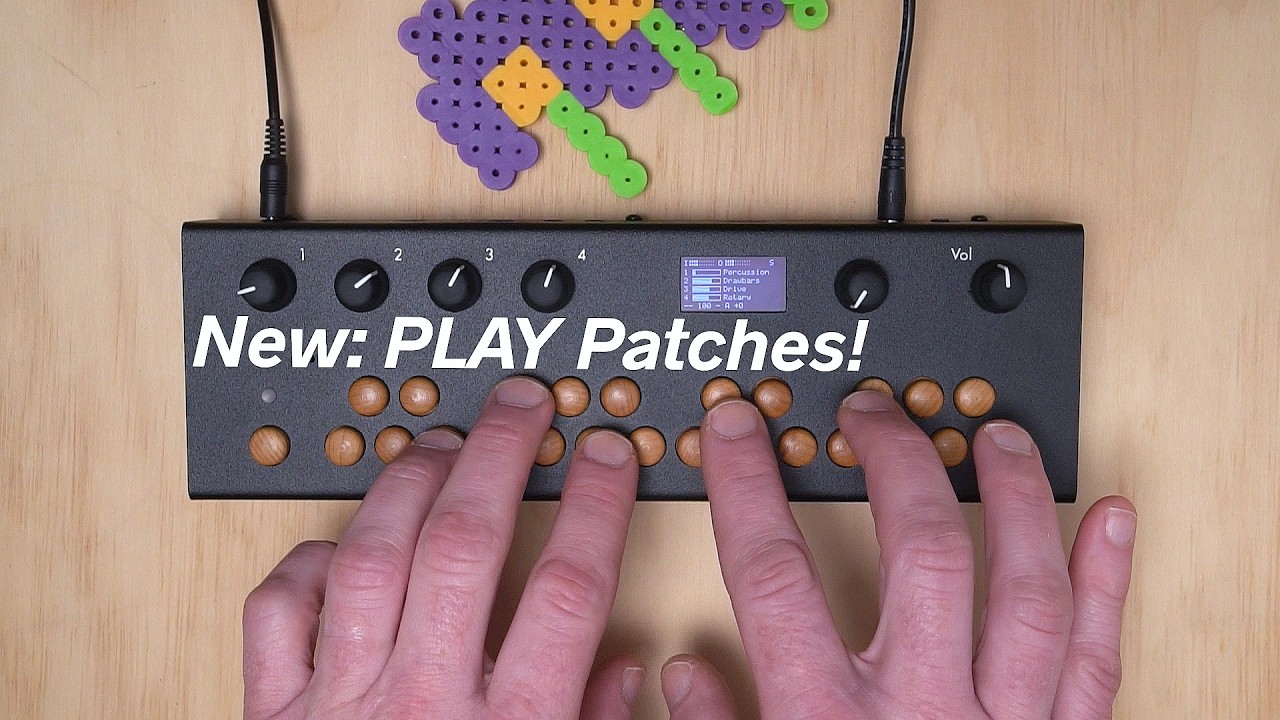
Demo of the new synth ‘PLAY’ patches:
6 Likes
I am also having the problem with the AP and wifi network not connecting with the password. I am using an Organelle M. None of my devices will connect to the network.
Any ideas on a fix?
Thanks!
@Woiperdinger if AP mode is not working for you,
@chrisk thanks chrisk, I did try connecting with wifi and got as far as getting the antenna to show up on the Organelle M, but the devices still wouldn’t connect.
I went through the next step of starting the web server and entering ‘http://’ and the IP address of my Organelle, no luck. Just a spinning loading wheel on the page. I also tried it with https:// just to check… Nothing.
@Woiperdinger You don’t need to add http or https before the IP address. Just enter the the IP address (as shown on the Organelle WiFi menu) into your computer’s web browser address bar.
@chrisk thanks chrisk, I tried that as well, same result.
@Woiperdinger, your computer is on the same existing WiFi network that the Organelle joined?
I’m just in the process of flashing a new card. I have quite a few kits and samples that I’ve made over the years in Orac & Orhack. Should I copy over my current ‘data’ ‘media’ & ‘Patches’ folders to replace the ones on the new SD card?
Yes, this is generally what you want to do. I noticed something funny about either ‘data’ or ‘media’ where there is a linked folder inside pointing to itself and when you try to zip it goes in an endless loop. So maybe just zip up what you need out of those folders individually (instead of zipping the whole thing) if you run into trouble. If possible use a second SD card for the new OS so you keep a backup of your previous one.
Thanks to everyone who tried out the new OS!
We posted a small update, version 5.1, that fixes some problems:
- The PLAY patches now sync with incoming MIDI clock
- Graphical edit mode for Organelle M and S is working again
- There are now two resolution options for starting VNC server: 1920x1080 and 2560x1440
- /usbdrive doesn’t show up in the web editor when no drive is attached
We were unfortunately not able to get AP WiFi mode working reliably and decided to remove this option to avoid confusion.
Download OS v5.1
6 Likes